AI vs Real Video Test
This real or AI video quiz puts two short clips side by side: one filmed, one generated with Kling, Seedance or another current model. Pick the real footage and get the answer immediately.
Want the model context first? Compare AI video models side by side or review the current free-tier limits.
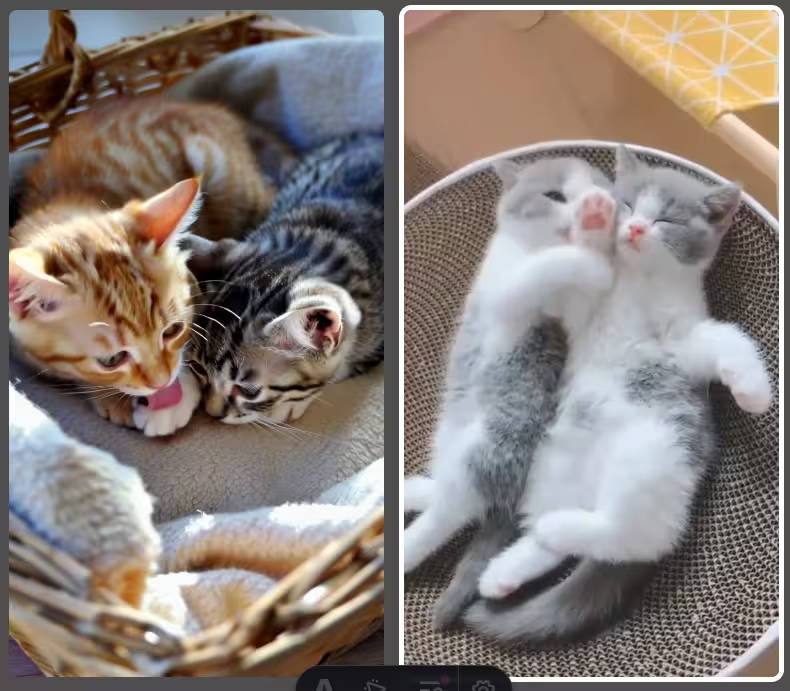

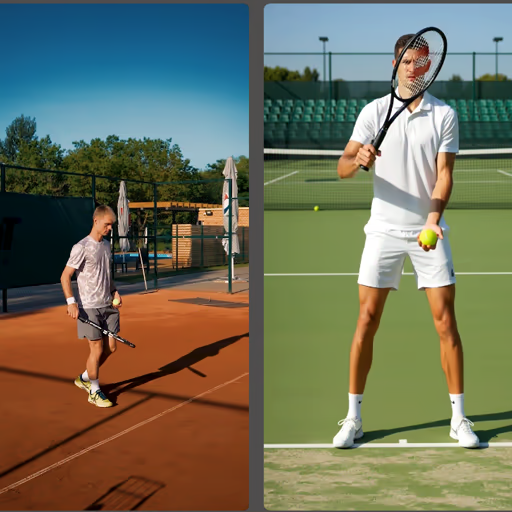
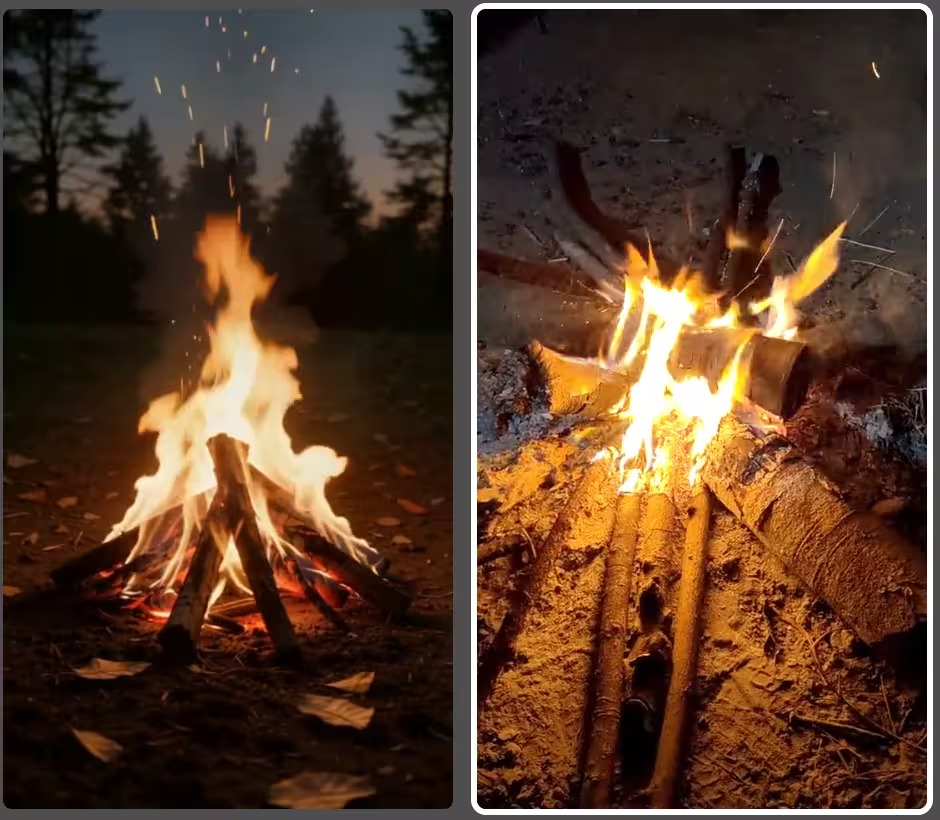
Real or AI? Watch the Clips and Test Your Judgment
Two example rounds from the quiz. Let both clips loop, tap the one you think was filmed, and see what gave the AI clip away.
A tennis player gets ready to serve. Which clip was filmed?


Real clip: Pexels . AI clip labelled with the generating model after the reveal.
Two ostriches walking. Which one is real?
How the AI vs Real Video Test Works
Each round shows you two short video clips side by side — one is real footage, the other was generated by an AI model. Your job: tap the man-made (real) video.
After you answer, both videos keep looping so you can study what gave the AI away.
Which AI Video Models Are Used?
The quiz currently includes clips generated with:
- Kling 3.0 — Kuaishou's flagship model. Highly realistic motion for both animals and people.
- Seedance 1.5 Pro — ByteDance's model. Smooth, natural-looking human movement.
- Sora 2 — OpenAI model used for clips in the current quiz pool. The Sora web app was discontinued in April 2026; OpenAI removed the Videos API and Sora 2 models from the API on September 24, 2026.
- Motion 2.0 — Leonardo AI's model. Cinematic framing and smooth motion.
How We Keep the Video Pairs Fair
A useful detection test has to compare like with like. Each round therefore pairs clips with a similar subject and type of motion: an animal walking against another animal walking, or a person performing an action against a comparable filmed action. The answer should not be obvious simply because one clip has a different subject, resolution or editing style.
Real clips come from licensed or public-domain footage; synthetic clips are labelled with the model used in the quiz data. Pairings are reviewed before publication and replaced when an old generation becomes too easy. After answering, let both clips loop and compare the same moment several times: temporal errors are often visible for only a few frames.
Read the complete quiz sourcing and fairness methodology.
Why Video Is Harder for AI Than a Still Image
A still image only has to be convincing once. A video has to stay convincing across every frame — and that extra dimension is where generators still give themselves away. A model that renders a flawless single frame of a running wolf must then produce twenty-four more per second in which that same wolf keeps the same number of legs, the same fur pattern and the same shadow direction.
The technical name for what breaks is temporal coherence. Because most video models generate frames with only limited memory of what came before, small details drift: a logo on a shirt re-invents itself between frames, a background pedestrian changes jacket colour mid-stride, a hand that grips a railing lets go of it a moment later without ever opening.
This is good news for you as a player. On a still image you are hunting for a single flaw in a frozen moment. On a clip, you can simply watch the same spot for a few seconds and wait for the model to contradict itself.
Worked Example: Two Clips of a Walking Dog
Two five-second clips, one filmed and one generated. This is the order I would actually check them in — fastest tells first:
- Count the legs through a full stride. Not once — through the whole cycle. AI dogs frequently grow a fifth leg for two or three frames as the rear legs cross, then lose it again. Pausing at the wrong moment misses it entirely.
- Follow one paw to the ground. Real paws land, compress, and push off against something. AI paws often meet the ground and slide a few centimetres, or touch down without the body weight shifting at all.
- Pick one background object and stare at it. A parked car, a bin, a doorway. In generated clips, background objects drift, change proportion or quietly swap details while your attention is on the subject.
- Watch the tail and ears against the background. Thin, fast-moving edges are the hardest thing to keep stable. Fur boundaries that shimmer or bleed into what is behind them are a strong signal.
- Let it loop twice. Most temporal errors last only a few frames. The second and third viewing is where people catch what they missed first time.
Tells That Only Exist in Video
These have no equivalent in a still image — they are worth learning separately from the usual image checks:
- Object permanence failures — something present at the start of the clip is gone by the end, or appears from nowhere
- Texture crawl — fur, hair, grass and fabric shimmer or boil rather than moving as one surface
- Weightless motion — real bodies accelerate and decelerate against gravity; AI motion often glides at a constant, floaty speed
- Background drift — static scenery slowly warps or repeats while the camera holds still
- Loop seams — a visible jump where the clip restarts, because the model never closed the motion cycle
- Physics that resets — water, smoke or cloth that behaves correctly for a second, then snaps back to a previous state
Tells by Category
The checks above apply to any clip. But each category breaks in its own way, and knowing which failure to expect is most of the work. Jump to the one you are about to play: animals, people, sport or elements.
🐾 Animals — texture and environment
- Fur and feather texture — AI fur shimmers, morphs, or takes on a subtle plastic quality during movement. Real fur has individual strand variation and catches light differently in every frame.
- Eyes — AI animals often have overly symmetrical, glassy eyes. Real animal eyes have micro-movements, irregular reflections, and blinks tied to something happening around them.
- Environment interaction — real animals displace grass, ripple water and cast shadows that match the light source. This is where AI most often gets the physics slightly wrong.
- Weight and fatigue — real animals carry inertia and tire. AI movement is too smooth, too evenly timed, and lacks the constant micro-adjustments of a creature reacting to real ground.
🧑 People — the deepfake checklist
- Hands — still the most reliable tell. Fingers that merge, bend at wrong angles or briefly multiply, especially while grasping or gesturing.
- Hair — individual strands merge into solid masses, float slightly off the head, or respond to motion with too little physics.
- Blinking and gaze — AI blink patterns are too regular or too rare, and the gaze drifts in slightly mechanical arcs. Real eye movement is irregular and reactive.
- Skin at the boundaries — overly smooth or plasticky skin that flickers at the hairline and face edges, where real skin keeps consistent pores and texture.
- Fabric — clothing that stretches, flickers, or fails to fold and settle the way real cloth does against a moving body.
⚽ Sport — physics under speed
Sport exposes weaknesses that calmer footage hides, because everything happens fast enough that the model has no time to be careful.
- Ball physics — trajectory, spin and bounce are among the hardest things to simulate. Watch for balls that curve too perfectly, bounce at the wrong angle, or briefly pass through a surface.
- Crowds — AI crowds blur, repeat, or contain copy-pasted figures. Real crowds have random individual reactions and genuine depth.
- Limbs at full speed — arms and legs that blur oddly, momentarily multiply, or snap back. Real athletes stay biomechanically consistent even at maximum effort.
- Playing surface — grass, turf and court lines that ripple or shimmer around moving feet, where a real surface holds its pattern.
🔥 Elements — fire, water and wind
Faces and animals are hard for AI, but the elements are hard in a fundamentally different way. They are chaotic systems — turbulent, non-repeating, governed by fluid dynamics no model can memorise the way it memorises what a cat looks like. A generator can learn the appearance of a flame, but it has to invent plausible motion for every single frame. The tell that beats almost every model: look at what the element does to its surroundings, not at the element itself.
- Fire — real flames throw dancing, uneven light onto everything nearby; faces, walls and ground shift brightness constantly. AI fire is often beautiful but too rhythmic, and frequently forgets to light its surroundings at all. Real sparks drift on unpredictable currents; AI sparks rise in suspiciously uniform arcs.
- Water — water has weight. Real splashes displace, droplets separate and fall, foam forms and dissolves. AI water looks like slow-motion syrup, loops subtly, or throws spray that never lands. Where water meets a rock or a shoreline is the fastest place to catch a fake.
- Wind — wind is invisible, so you judge it by its effects. Real gusts are uneven, so leaves, grass, hair and fabric all move inconsistently. AI moves everything together at one uniform speed, as if a single slider controlled the scene.
Frequently Asked Questions
Why is AI video easier to spot than AI images?
Because errors accumulate over time. A generator only has to get a still image right once, but a clip gives it dozens of chances to contradict itself — a leg that appears and vanishes, a background object that drifts, fur that shimmers between frames. Watching the same spot for a few seconds usually reveals more than studying a single frame ever would.
What is the fastest tell in an AI-generated clip?
Contact with the ground. Feet, paws and wheels have to meet a surface and take weight. AI motion frequently slides, floats, or fails to transfer body weight at the moment of contact — and unlike a warped hand, it is visible even at small sizes.
Which AI video models does the quiz use?
Clips come from Kling 3.0 (Kuaishou), Sora 2 (OpenAI), Seedance 1.5 Pro (ByteDance) and Motion 2.0 (Leonardo AI), among others. Sora 2 is historical pool attribution: its web app was discontinued in April 2026 and OpenAI removed the Videos API and Sora 2 models from the API on September 24, 2026. Real footage comes from licensed or public-domain sources, and every pair is matched for subject and type of motion so the answer is never obvious from framing alone.