Free AI Image Limits 2026: Krea 100/Day, Raphael & Bing
Disclosure: some links on this page are affiliate links — if you sign up through one, we may earn a commission at no extra cost to you. This never affects our rankings or test results.
How many free images do you actually get? We checked each linked first-party plan or help page on August 28, 2026 — Krea.ai refills 100 free compute units every day with no watermark, Raphael AI advertises no count limit on free basic generations, and Bing Image Creator's own pages disagree: 10 Fast creations in the live interface versus 15 Fast and a 200-prompt daily cap in the Help FAQ. Adobe Firefly, ChatGPT and Google Gemini all generate images for free but publish no fixed daily count, and Craiyon calls its allowance limited without naming a cap.
What this page compares: how much you get for free, whether the output is watermarked, and whether you need an account. It is not a ranking of image quality — free tiers are rarely the strongest models, and a tool can top this list while producing weaker images than a paid one. Quality notes live in the tool profiles further down.
Short answer: which free AI image generator is best?
Picked on free allowance, watermark and signup friction — not on image quality.
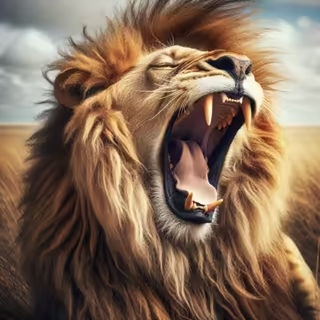
 No signup
 Advertises unlimited free basic generations. Watermarked, personal use only, slower queue.
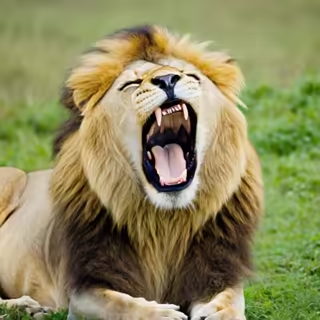
 No watermark
 100 free compute units per day, refilled daily. Account required.
Free, watermark-free and commercially usable are three separate questions — check the current product terms before you publish anything generated on a free plan.
Quick Comparison
| Tool | Model | Free images | Watermark | Login | Sources |
|---|---|---|---|---|---|
 Bing Image Creator ↗ Bing Image Creator ↗
| MAI-Image-2.5-Flash / MAI-Image-2e | 10 Fast in live UI / 15 in Help FAQStandard: UI says unlimited; FAQ says max 200 prompts/day | Yes | Guest use; sign-in unlocks more | Live UI ↗Help ↗ |
 ChatGPT ↗ ChatGPT ↗
| GPT Image family | Limitedexact model and fixed daily count undisclosed | None | Required | OpenAI Help ↗ |
 Adobe Firefly ↗ Adobe Firefly ↗
| Firefly Image 5 | Limited daily generationsexact amount undisclosed | Yes | Required | Plans ↗ |
 Google Gemini ↗ Google Gemini ↗
| Nano Banana 2 | Basic accessfixed daily count not promised | Yes | Required | Limits ↗ |
| Raphael AI ↗
| Multi-model routing | Unlimited basicno count limit; slower than paid | Yes | Not required | Pricing ↗ |
| Krea.ai ↗
| Krea 2, FLUX & more | 100 compute units/dayrefills daily | None | Required | Pricing ↗ |
 DeepAI ↗ DeepAI ↗
| Standard model | Limited free tierad-supported and throttled | None | Not required for basic use | Pricing ↗ |
 Craiyon ↗ Craiyon ↗
| Craiyon V3 | Limitedexact cap unpublished | Yes | Not required | Pricing ↗ |
Some tools embed invisible AI content credentials (C2PA / SynthID) even without a visible watermark. Claims were checked against the linked first-party pages on August 28, 2026; providers change them frequently.
Same Prompt — Every Tool
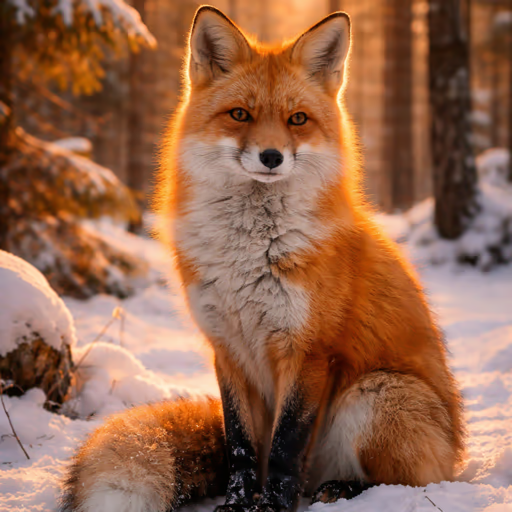
All images generated with: "A red fox sitting in a snowy forest, golden hour lighting, photorealistic"
 Bing Image Creator
  ChatGPT
 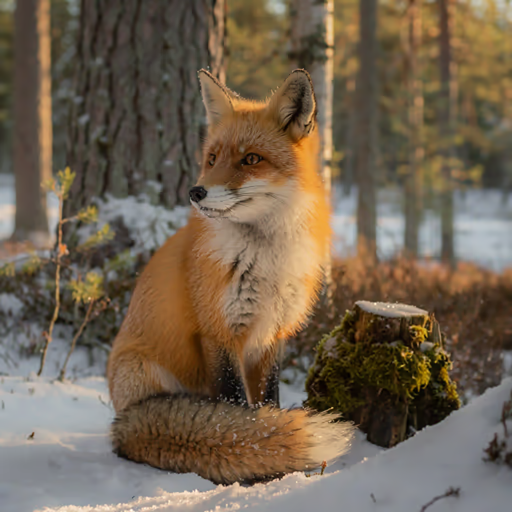 Adobe Firefly
 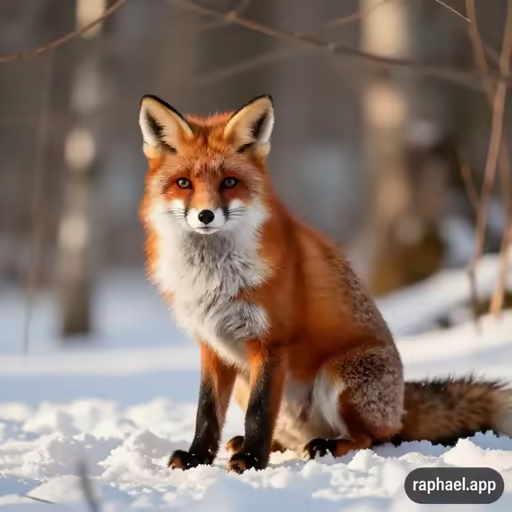 Raphael AI
 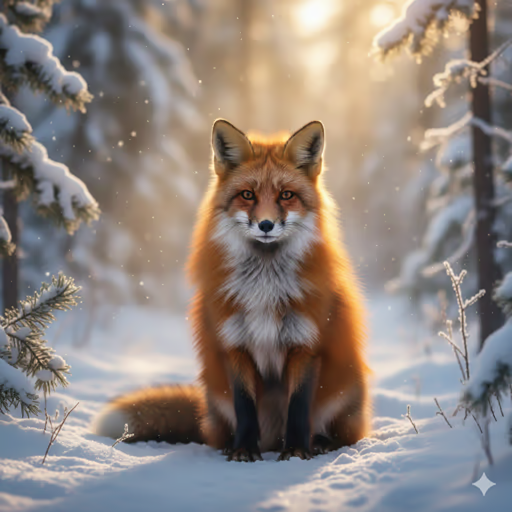 Google Gemini
 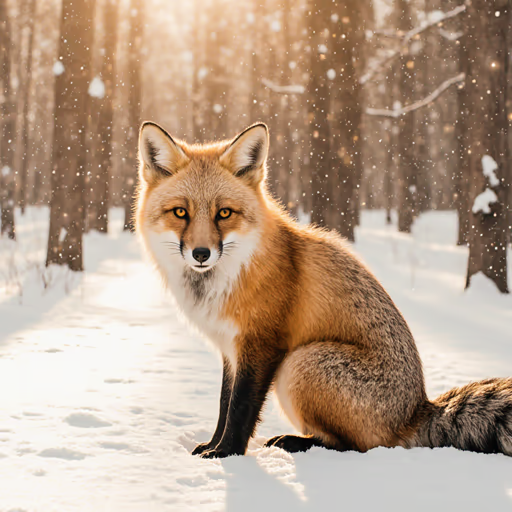 Krea.ai
 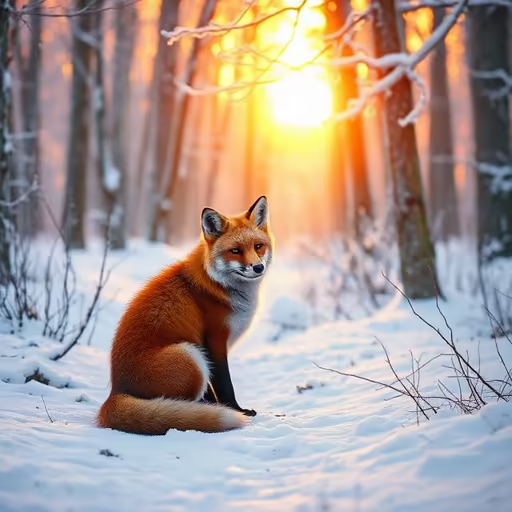 DeepAI
 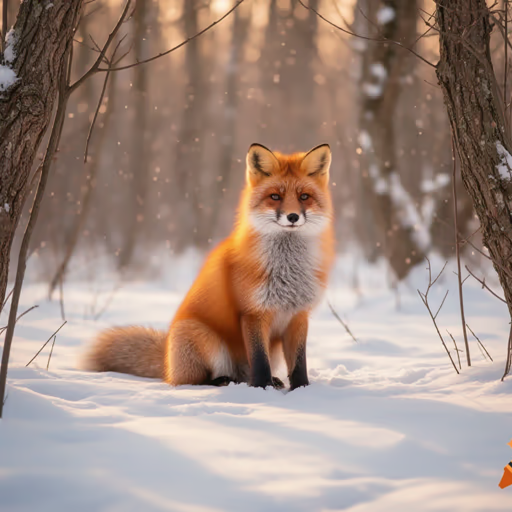 Craiyon
 Click any image to enlarge. Results vary between generations — these are representative single outputs, not cherry-picked.
Tool Profiles
Bing Image Creator
Bing Image Creator provides Microsoft's MAI-Image-2.5-Flash and MAI-Image-2e models for free; MAI-Image-2e requires a Microsoft account. As of September 29, 2026, Microsoft no longer lists DALL-E 3 or GPT-4o in Bing Image Creator.
Microsoft's live sign-in panel advertises 10 free Fast creations and unlimited Standard creations. Its separate Help FAQ still documents 15 Fast creations and a limit of 200 prompts per 24 hours, so this guide does not present either allowance as universal. Guests can create with a daily-reset limit; signing in unlocks more creation and additional models. Microsoft adds a visible watermark and C2PA content credentials.
One important catch: under Microsoft's terms, images are licensed for personal, non-commercial use by default. For client work or ads, use a tool with explicit commercial rights instead.
- MAI-Image-2.5-Flash and MAI-Image-2e for free
- Guest use; sign-in unlocks more creation and models
- Visible watermark and C2PA credentials
- Standard-speed generation after Fast mode
- Microsoft's UI and Help FAQ publish conflicting limits
- Fixed 1024×1024 output, no aspect ratios
- Heavy content filters
- Personal use only by default (no commercial licence)
ChatGPT
ChatGPT integrates image generation directly into the chat interface — you can describe what you want in natural language, ask for revisions, and iterate in conversation. This makes it the most beginner-friendly option: no need to learn prompt syntax, just describe the image.
Images in ChatGPT are now generated by OpenAI's GPT Image model family, which replaced DALL-E 3 — the old DALL-E models were retired from the API in May 2026. OpenAI confirms image generation is available to Free users but does not publish one fixed daily allowance. The product applies a usage cap and tells the user when access becomes available again; paid plans provide higher limits.
There is no visible watermark (invisible C2PA metadata is embedded). Output supports square, landscape and portrait formats, and GPT Image is exceptionally strong at following complex instructions and rendering text — at the cost of slower generation than diffusion models.
- Natural language prompting
- Iterative revision via chat
- No visible watermark, commercial use allowed
- Best-in-class instruction following & text rendering
- Strict free usage cap; fixed daily count undisclosed
- Account required
- Slow generation (15–60s per image)
- Paid plans have higher limits but are still policy-dependent
Adobe Firefly
Adobe Firefly stands apart from every other tool on this list in one important way: its own models were trained exclusively on Adobe Stock images and public domain content — not scraped from the web. This makes it the cleanest option copyright-wise, and paid plans even include IP indemnification.
Firefly Image Model 5 produces very clean, well-composed images with strong photorealism, and the web app now also offers partner models like FLUX and Google's Nano Banana. Adobe now gives free users a limited number of daily generations instead of a fixed monthly credit allowance; the exact daily amount is not published.
The big free-tier caveat: free-plan outputs carry a visible Firefly watermark, which makes them impractical for published or commercial work. Paid plans from $9.99/month remove the watermark and include unlimited standard generations. Firefly also powers generative fill in Photoshop and Illustrator for Creative Cloud subscribers.
- Commercially safe training data
- Strong output quality, 4 variations per credit
- Built-in style controls
- Paid plan ($9.99) removes watermark + unlimited standard generations
- Free daily amount is not published
- Visible watermark on free-plan outputs
- Adobe account required
- Conservative content filters
Google Gemini
Google Gemini generates images with Nano Banana 2 (officially Gemini 3.1 Flash Image, launched February 2026), which replaced the earlier Imagen-based generation. If you already have a Google account, there is nothing extra to sign up for — you can generate images immediately from gemini.google.com.
Google's current limits page lists basic image-generation access without a Google AI plan and warns that limits can change. It does not promise one fixed daily count for every free account. Higher paid plans receive more access. Free-tier images carry a visible Gemini watermark plus an invisible SynthID watermark.
Google has very strict content filters on Gemini's free tier — particularly around people and faces. Prompts that involve recognisable individuals or certain topics are frequently rejected. For abstract scenes, landscapes and objects, it works reliably, and Nano Banana 2 is notably strong at 4K output, text rendering and keeping characters consistent across edits.
- Basic image-generation access on free accounts
- Any Google account works, no extra signup
- Strong Nano Banana 2 model (up to 4K, good text)
- Integrated into the Google ecosystem
- Visible watermark + invisible SynthID
- Daily limit fluctuates with server load
- Very restrictive content filters
- Best model (Nano Banana Pro) paywalled
Raphael AI
Raphael AI is the best option if you want to generate images immediately with no account, no credit card and no hard generation cap. Originally built on FLUX.1-Dev, it now uses an intelligent multi-model router (Raphael Basic/2.0 Pro, Seedream, Nano Banana and others). The service is funded by ads and paid plans, and adds a visible watermark to free images.
The "unlimited" applies to the free basic mode, which runs in a slower queue — expect roughly 8–30 seconds normally and longer during peak traffic. Signing in (still free) grants a small allowance of fast credits to skip the queue and access higher-resolution models.
Two trade-offs: the watermark appears on every free image and cannot be removed without a paid plan (Premium $10/month), and free-tier images are licensed for personal, non-commercial use only. If you need clean images, choose a tool with a no-watermark free tier like Krea or ChatGPT.
- No login required
- No hard cap on free generations
- Modern models via smart routing
- Fast even in free mode (~8–30s)
- Visible watermark on all free images
- Slow queue after the fast allowance is used
- Free tier: personal use only
- Ad-supported interface
Krea.ai
Krea.ai gives every free account 100 compute units per day, refilling daily with no credit card required — enough for a solid batch of clean, watermark-free images each day. An account (email, Google or Discord) is required, but signup takes seconds.
The platform bundles over 150 models — including its in-house Krea 2 model, FLUX, and third-party engines — plus a real-time generation mode where the image updates live as you type or sketch. Different actions consume different amounts of compute units, so heavy features (video, upscaling) drain the daily allowance quickly. Paid plans from $9/month add larger monthly pools, higher resolution, and — importantly — a commercial licence, which the free tier does not include.
- No watermark on free outputs
- 100 compute units refill every day
- Krea 2 / FLUX quality, 150+ models
- Real-time generation mode
- Login required
- Daily cap — not unlimited
- No commercial licence on free tier
- Advanced tools & resolution behind paywall
DeepAI
DeepAI has been offering free AI image generation since the mid-2010s and is one of the oldest tools on this list. Basic text-to-image works without a login and adds no visible watermark, and DeepAI explicitly grants users rights to their creations.
The free tier is more restricted than it first appears: it is ad-supported, generation counts are limited and throttled during busy periods, and every free image is published to a public gallery by default. The better HD, "Genius" and 2K modes require the DeepAI Pro subscription ($9.99/month). Output quality of the free standard model is a clear step below FLUX-based tools and GPT Image — fine for stylised, painterly and concept art, weak at photorealism and anatomy.
- No login for basic use, no watermark
- Clear usage rights, even on free tier
- Fast generation, simple interface
- Good for artistic / illustrative styles
- Free tier limited & throttled — not truly unlimited
- Free images are public by default
- Lower quality than FLUX or GPT Image
- Ad-supported interface; best modes paywalled
Craiyon
Formerly known as DALL-E mini (though unrelated to OpenAI's DALL-E), Craiyon is one of the most accessible AI image tools online. No login is required, but Craiyon now says free users receive a limited number of images — with a visible watermark, ads, and possible wait times during peak hours. Free generations are also publicly visible in the community gallery.
Craiyon produces 9 image variations per prompt, which is useful for quickly exploring different visual interpretations. Output quality is lower than FLUX or GPT Image — images have a characteristic soft, slightly imperfect look and low base resolution. This is a feature for some use cases (fun, sketching, moodboards) and a drawback for others (polished commercial images). Unusually, commercial use is allowed even on the free plan, as long as you credit craiyon.com.
- No login required
- 9 variations per prompt
- Commercial use allowed (with attribution)
- Good for idea exploration
- Visible watermark, lots of ads
- Lower output quality & resolution
- Free images are public
- Waits during peak hours
Which Tool Is Right for You?
I want to try AI image generation right now, no signup
→ Raphael AI (no login, unlimited, watermark) or Craiyon (no login, limited free images, watermark)
I want the best image quality for free
→ Google Gemini (Nano Banana 2, basic free access, watermarked) or Bing Image Creator (multiple model choices, conflicting first-party limit copy, watermarked)
I need images I can use commercially
→ Adobe Firefly paid plan (licensed training data, safest — free plan is watermarked) or ChatGPT (OpenAI grants commercial rights on all tiers)
I need unlimited images with decent quality
→ Raphael AI (unlimited basic generation, watermark) — or Krea.ai for 100 watermark-free compute units per day
I want to describe images in natural language and iterate
→ ChatGPT (conversation-based editing, GPT Image family) or Gemini (Nano Banana 2, higher daily limit)
I want stylised, artistic illustrations
→ DeepAI (painterly styles) or Craiyon for quick sketches
Free Limits & Watermarks Explained
How Free Limits Work
No hard cap — Raphael AI places no hard cap on slow basic generations. Craiyon says its free allowance is limited but does not publish the cap. Both watermark free output.
Daily allowances — Bing Image Creator's live UI advertises 10 Fast creations and unlimited Standard, while its Help FAQ still says 15 Fast and a 200-prompt daily cap. Krea publishes 100 compute units/day. ChatGPT and Gemini offer free image generation without promising one universal daily image count.
Adobe daily allowance — Adobe Firefly provides a limited number of free daily generations but does not publish the amount. “Undisclosed” is more accurate than a number inferred from one account or one day.
Watermarks
Visible watermarks appear on free-tier images from Google Gemini, Bing Image Creator, Adobe Firefly, Craiyon and Raphael AI. These cannot be removed on free plans — Firefly, Craiyon and Raphael remove them on paid tiers.
No visible watermark on free outputs from ChatGPT, Krea.ai and DeepAI; Bing Image Creator adds a visible watermark.
Invisible watermarks — even tools without visible watermarks embed AI content credentials or metadata (like C2PA in ChatGPT images or SynthID in Google images). These are undetectable to the eye but readable by compatible software.
📸 Best for Photorealism
- 1. ChatGPT (GPT Image family)
- 2. Google Gemini (Nano Banana 2)
- 3. Bing Image Creator / Adobe Firefly (Firefly 5)
- 4. Raphael AI / Krea (multi-model)
🎨 Best for Art & Illustration
- 1. Adobe Firefly (style controls)
- 2. Krea.ai (Krea 2 / FLUX)
- 3. DeepAI (painterly styles)
- 4. Craiyon (stylised output)
Free image came out low-res?
Most free tiers cap resolution. See our tested comparison of the best AI image upscalers — free and paid.
Also Worth Mentioning
These tools require a login and offer limited free credits — worth considering if you need higher quality or more control:
Frequently Asked Questions
What is the best free AI image generator in 2026? ▾
It depends which constraint matters. To generate without an account, Raphael AI advertises unlimited free basic generations, watermarked and personal-use only. For the largest published daily allowance with no watermark, Krea.ai lists 100 free compute units per day, refilled daily. For the widest model choice, Bing Image Creator offers several models, though Microsoft's own pages disagree on the allowance: the live interface advertises 10 Fast creations while the Help FAQ documents 15 Fast plus a 200-prompt limit per 24 hours. Adobe Firefly, ChatGPT and Google Gemini all include free image generation but publish no fixed daily count as of August 28, 2026.
Which AI image generator has no daily or monthly limit at all? ▾
Raphael AI places no hard cap on slow basic generations after its fast credits are used. Craiyon says free users receive a limited number of images but does not publish the exact cap. Both work without an account, and both add a visible watermark to free images. Krea.ai and DeepAI are often described as unlimited, but Krea caps free use at 100 compute units per day and DeepAI’s free tier is limited and ad-supported.
How many free images does Adobe Firefly give? ▾
Adobe Firefly gives free users a limited number of daily generations rather than a fixed monthly credit allowance, and Adobe publishes no numeric daily amount on its plans page as of August 28, 2026. Free-plan outputs carry a visible Firefly watermark; paid plans from $9.99/month remove it and include unlimited standard generations.
How many free images does Bing Image Creator give? ▾
Microsoft’s own pages disagree as of August 28, 2026: the live Bing Image Creator sign-in panel advertises 10 free Fast creations and unlimited Standard creations, while Bing’s Help FAQ documents 15 Fast creations and a 200-prompt limit per 24 hours. Guests can create with a daily-reset limit; signing in unlocks more creation and additional models. As of September 29, 2026, Microsoft lists two models, MAI-Image-2.5-Flash and MAI-Image-2e (sign-in required); DALL-E 3 and GPT-4o are no longer listed.
What is ChatGPT's free image generation limit? ▾
OpenAI confirms Free users can generate images in ChatGPT but publishes no fixed daily image allowance as of August 28, 2026. The product applies a usage limit and shows when access becomes available again. Treat any third-party numeric quota as an observation, not a guaranteed entitlement.
Does Google Gemini have a free image generation limit? ▾
Yes, but Google publishes no fixed number. Its Gemini limits page lists basic image-generation access without a Google AI plan and states that limits can change; it promises no single daily image count for every free account as of August 28, 2026. Free outputs carry visible and invisible provenance markings.
Do free AI image generators add watermarks? ▾
It depends on the tool. Google Gemini, Bing Image Creator, Craiyon, Raphael AI and Adobe Firefly (free plan) add visible watermarks to free-tier images. ChatGPT, Krea.ai and DeepAI produce output without a visible watermark on their free plans. Many tools embed invisible AI content credentials or metadata (C2PA, SynthID) even without a visible watermark.
Can I use free AI images commercially? ▾
Each tool has different terms. Adobe Firefly is the safest training-data-wise (licensed Adobe Stock content), but free-plan images are watermarked, so commercial use realistically requires a paid plan. ChatGPT outputs may be used commercially per OpenAI’s terms. Bing Image Creator output is restricted to personal, non-commercial use by default under Microsoft’s terms. Craiyon allows commercial use even on the free plan (with attribution and watermark); Raphael AI and Krea.ai require a paid plan for commercial use. Always check each tool’s current terms before commercial use.
How Convincing Are They, Measured?
Everything above is about what these tools cost and what they can do. This is the one thing we can measure ourselves: several of them are in our own quiz, where players are shown their output next to a real photograph and asked to pick the real one. The score below is how often each model's image was taken for the real one, on a scale where genuine photographs sit at exactly 1,500. Higher means harder to catch. It says nothing about prompt adherence, speed or price — only about realism.
| Model | Realism | 95% range | Rounds |
|---|---|---|---|
| Real photographs (anchor) | 1,500 | — | 104,811 |
| Stable Diffusion (Stability AI) | 1,218 | 1208–1228 | 7,901 |
| Gemini 2.5 Flash Image / Nano Banana (Google) | 1,213 | 1202–1224 | 8,394 |
| FLUX.1 [dev] (Black Forest Labs) | 1,152 | 1143–1161 | 18,570 |
| DALL·E 3 (OpenAI) | 1,143 | 1125–1161 | 4,972 |
Every model here scores below 1,500, which is the honest headline: across our rounds, real photographs still get picked as real more often than any generator's output does. But read the ranges, not the ranks — where two intervals overlap, the ordering between those two models is not established.
Also in the quiz but not yet on enough distinct images to quote: GPT Image 2 Medium (OpenAI). Not in our quiz pool at all, and so absent from the table above: Nano Banana Pro (the paid Google tier). Everything this page says about those comes from published information rather than anything we measured.
From answers given on this site, recomputed nightly · last updated 14 October 2026. Within a visit only a player's first answer to a round counts. How this is measured · Full ratings table
Can you spot which image is AI-generated?
People, animals and food are what free generators get used for most. They are also where the tells are subtlest.
Related