Best AI Image Detector Tools in 2026
Disclosure: some links on this page are affiliate links — if you sign up through one, we may earn a commission at no extra cost to you. This never affects our rankings or test results.
"Is this photo real?" is a question more people are asking every year, as AI image generators like Flux, Midjourney and DALL-E get harder to tell apart from a camera. A whole category of tools has sprung up to answer it automatically — upload an image, get a probability score back. This page rounds up the free and paid AI image detectors worth knowing about, how each one actually works under the hood, and where each one falls short.
We ran a fixed eight-image smoke test through Hive Detect, Sightengine and TruthScan using byte-identical PNG inputs. The results below are a dated practical check, not a universal ranking: on clean files from current generators all three separated real from AI correctly, but the two tools that also name the generator got it wrong on both newer models — and an earlier run on a harder set broke every one of them. Every row, including the errors, is shown below.
Quick Comparison
| Tool | Method | Free Tier | Login | Best For |
|---|---|---|---|---|
| Hive Detect ↗ | Classifier model | Free web demo | Not required | Fast check, enterprise-grade model |
| Illuminarty ↗ | Classifier (localized detection paid) | Basic detection free | Not required | Basic image classification |
| AI or Not ↗ | Classifier model | Free | Not required | Fastest single-image gut-check |
| WasItAI ↗ | Classifier + database | Limited guest use | Not required | Image analysis and database comparison |
| TruthScan ↗ | Classifier + heatmap | Free credits | Sign-up for more | A visual explanation of the verdict |
| Sightengine ↗ | Web checker / API | Free web checks; free account adds monthly checks | No account for initial web checks | Automating checks across many images |
"Free tier" reflects what each vendor publicly advertises as of August 2026 and can change without notice.
Same-Input Detector Benchmark
On September 3, 2026, we sent eight PNG files — four real photos and four AI images from current generators — to Hive Detect, Sightengine and TruthScan. On September 4 we added three more AI images from generators none of the first batch covered: xAI's Grok Imagine, Microsoft's MAI-Image-2.5 and FLUX.2 [pro]. Eleven inputs, 4 real and 7 AI. Every row below is a first result, kept whether the tool got it right or not — nothing was rerun until it looked better, and nothing was dropped.
The two classes are counted separately on purpose: with only 4 real photos against 7 AI images, a single combined percentage would rest its false-positive rate on four images and read far steadier than the evidence allows.
| Input — expand for the image | Truth | Batch | Hive AI score | Sightengine AI score | TruthScan AI score | Generator named |
|---|---|---|---|---|---|---|
| Real | Sep 3 | 11.9% ✓ | 0.1% ✓ | 2.5% ✓ | — |
| AI | Sep 3 | 99.1% ✓ | 99.0% ✓ | 70.8% ✓ | Hive: gptimage1_5 94.1% ✓Sightengine: gpt 55% ✓ |
| Real | Sep 3 | 0.4% ✓ | 0.1% ✓ | 5.1% ✓ | — |
| AI | Sep 3 | 99.9% ✓ | 99.0% ✓ | 97.4% ✓ | Hive: seedream 99.9% ✓Sightengine: seedream 67% ✓ |
| Real | Sep 3 | 0.0% ✓ | 0.1% ✓ | 2.6% ✓ | — |
| AI | Sep 3 | 99.9% ✓ | 99.0% ✓ | 97.2% ✓ | Hive: gptimage1_5 45.4% ✕Sightengine: flux 67% ✕ |
| Real | Sep 3 | 1.2% ✓ | 0.1% ✓ | 2.6% ✓ | — |
| AI | Sep 3 | 99.9% ✓ | 99.0% ✓ | 94.3% ✓ | Hive: midjourney 38.2% ✕Sightengine: midjourney 53% ✕ |
| AI | Sep 4 | 4.7% ✕ | 99.0% ✓ | 94.6% ✓ | Hive: adobefirefly 8.1% ✕Sightengine: reve 65% ✕ |
| AI | Sep 4 | 99.7% ✓ | 99.0% ✓ | 56.5% ✓ | Hive: stablediffusion 60.5% ✕Sightengine: imagen 49% ✕ |
| AI | Sep 4 | 99.4% ✓ | 99.0% ✓ | 97.4% ✓ | Hive: flux2 70.4% ✓Sightengine: flux 62% ✓ |
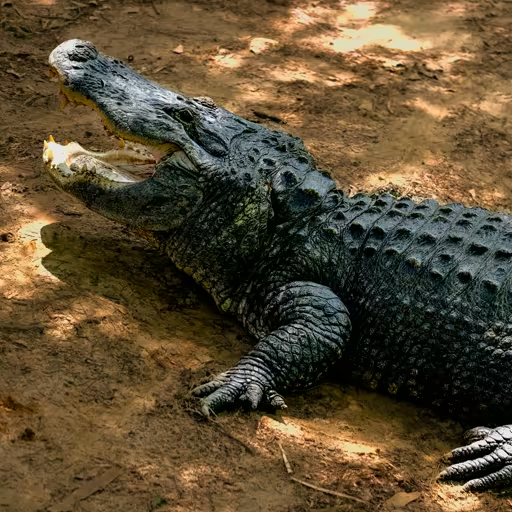
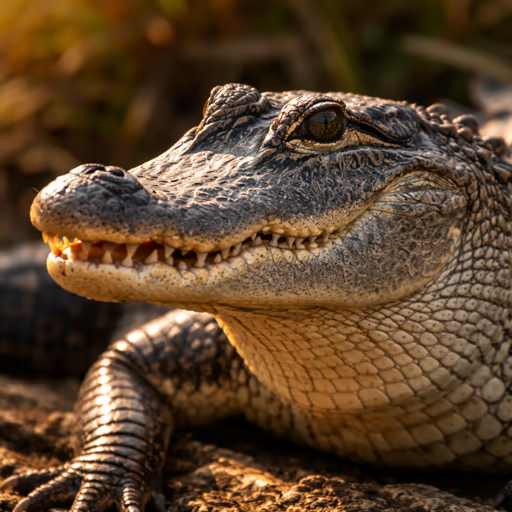

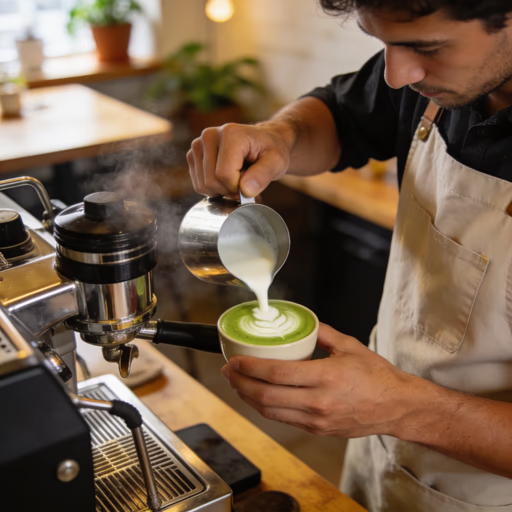
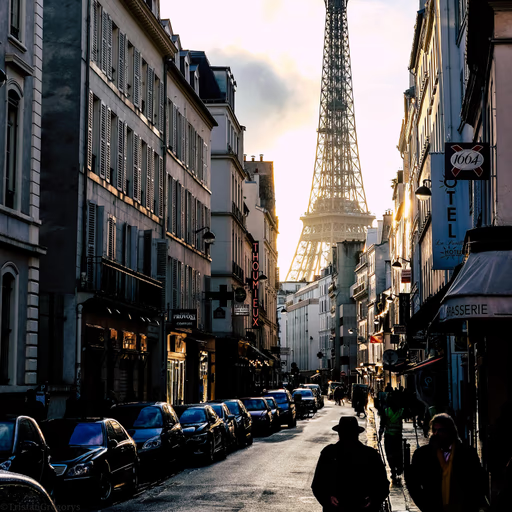

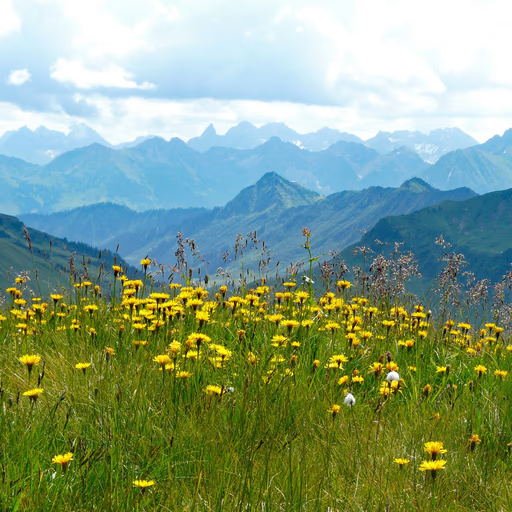
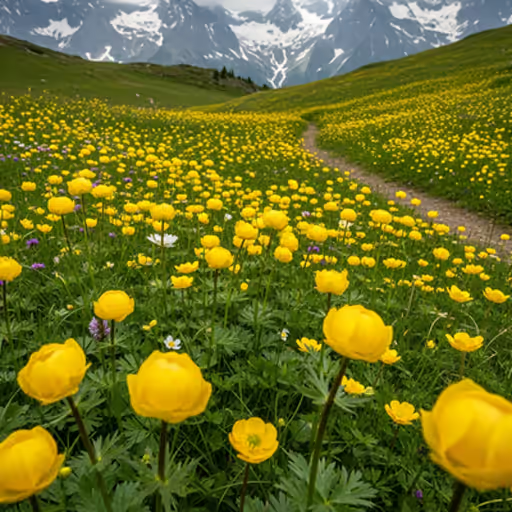
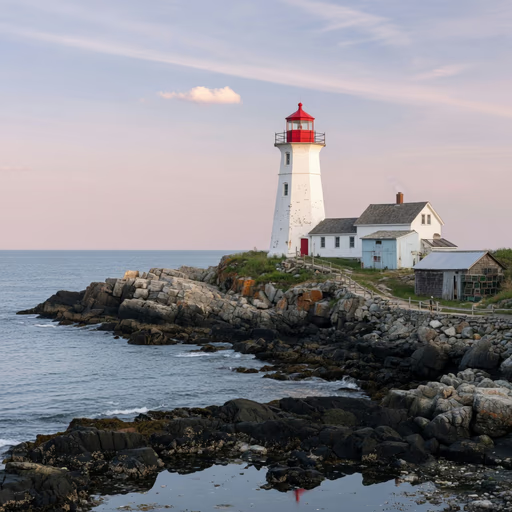
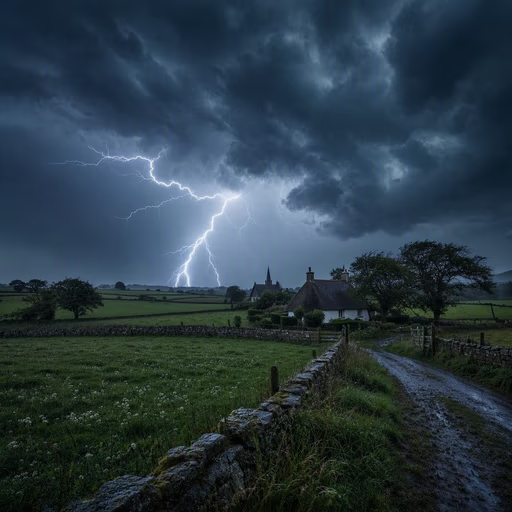

Method: the eleven fixed AVIF gallery sources were converted once through the same deterministic PNG transformation, and every detector received that identical file. The CSV records a SHA-256 digest per delivered PNG, so any rerun can prove it scored the same bytes. Ground truth and the generator name are read from the gallery YAML that drives the quiz, never typed by hand, and the run aborts if the two disagree. Hive Detect and Sightengine were driven through their public demo pages — the same single upload a visitor performs, with no account and no bot challenge bypassed; TruthScan through its documented REST API. Hive uses 50% as the practical verdict threshold; Sightengine's interface uses ≥65% AI, ≤35% real and 35–65% uncertain; TruthScan returns its own verdict label, which we record rather than re-thresholding. Vendor scores are not calibrated on one shared scale, so read down a column rather than across a row. The three added generators ran as their own dated batch on September 4 rather than alongside the first eight: Sightengine's public demo stops returning a score after roughly half a dozen anonymous uploads, so a single eleven-image sitting was not possible without hammering a free service. The inputs are byte-identical either way — the digests are in both CSVs — but the two batches are one day apart, and the Batch column says which is which. Eleven images remain far too few for a general accuracy claim, and this set contains no screenshots, crops or re-compressed files — exactly the conditions under which detectors are known to do worst.
How AI Image Detection Actually Works
"AI detector" is a broad label covering at least three genuinely different techniques. Knowing which one a tool uses explains a lot about what it's good at — and where it will quietly fail.
1. Pixel & frequency artifact analysis
The most common approach. A classifier model is trained on millions of real and AI-generated images and learns to spot subtle statistical fingerprints that generators leave behind — unnatural noise patterns, frequency-domain artifacts invisible to the eye, and texture inconsistencies around edges, hair or reflections. This is what tools like Hive Detect, Illuminarty and AI or Not are built on.
2. Provenance & watermark checking
Some generators embed a signal directly into the file at creation time — a visible watermark, or an invisible one like Google's SynthID, or a C2PA "content credential" recording the image's origin in its metadata. A detector using this method just needs to check for that signal, rather than analyse pixels. It's fast and precise when the signal is present — but useless the moment metadata is stripped, which happens automatically on most social platforms.
3. Hash / database matching
Instead of analysing an image at all, this method fingerprints it and checks that fingerprint against a database of known AI-generated images already collected from public generators. Database matching is one signal some services can combine with classifier analysis. It's very fast and cheap to run, and reliable for images that have circulated before — but blind to any genuinely new AI image it hasn't indexed yet.
Tool Profiles
Hive Detect
Hive is primarily a content-moderation infrastructure company — its classifiers are licensed by other platforms to screen uploads at scale, which is a different customer base than a typical consumer-facing detector. The consumer checker at hivedetect.ai lets anyone upload a single image and get an AI-generated probability score without an account.
Because the underlying model is built and continuously retrained for commercial moderation clients rather than as a side project, it tends to be kept current against newer generators faster than smaller, hobby-run detectors. There is no published self-serve accuracy number for the free demo specifically — for a broader independent comparison across many detectors, see roundups like ddiy.co's AI image detector testing.
- No login for a single check
- Backed by an enterprise moderation model
- Simple, fast interface
- No heatmap or explanation, just a score
- Bulk/API access requires a paid plan
- No published free-tier accuracy figure
Illuminarty
Illuminarty provides basic AI image classification for free. Localized image detection, model identification and API access are included in its $10/month Basic plan rather than the free tier.
The vendor does not publish a five-scans-per-day free cap. Its paid Basic and Pro plans add localized detection and API allowances.
- Basic classification remains free
- No login for basic use
- Paid plans add localized detection
- Localized detection requires the $10/mo plan
- No bulk upload without paying
AI or Not
AI or Not keeps things deliberately simple: drop in an image or paste a URL, get a verdict back in seconds. No heatmap, no detailed breakdown — just a fast answer, which is exactly what you want when you're scrolling through social media and want a quick second opinion on one image.
Beyond images, it also offers checks for AI-generated audio, which is a reasonable bonus if you occasionally need to sanity-check a voice clip as well as a photo. An account unlocks saved scan history but isn't required for a one-off check.
- Very fast, minimal friction
- No account needed for a single check
- Also handles audio
- No explanation behind the verdict
- Heavier use pushes you toward an account
WasItAI
WasItAI works differently from every other tool on this page: it analyzes image characteristics and patterns, then compares the result against its image database.
Guest checks are limited. After the guest allowance is used, WasItAI requires a free account; account credits renew monthly.
- Limited guest checks before signup
- Detailed report with a confidence score
- Free account credits renew monthly
- Guest usage is capped
- Full quota is not published
Sightengine
Sightengine is both a direct browser checker and a content-moderation API. Initial checks work on the page without an account; a free account adds monthly checks, while the API supports automated screening inside apps, marketplaces and forums.
The public checker handles one-off uploads. If you're building something that needs to screen hundreds or thousands of user-uploaded images per day, the API is the more appropriate workflow.
- Built for automation at scale
- Bundles other moderation checks too
- Free browser checks before committing
- API automation requires a key and setup
- Free web allowances can change
- Paid beyond the free allowance
TruthScan
TruthScan is primarily sold as an enterprise fraud-detection suite — its stated customers are in banking, insurance and compliance — with a public image detector as the entry point. That heritage shows: rather than returning a bare percentage, it renders a heatmap over the image highlighting which regions drove the verdict, alongside a written rationale naming the specific indicators it reacted to.
That explanation is the genuine differentiator here. Hive and AI or Not hand you a number and nothing else; if you need to justify a call to someone — an editor, a compliance team, a client — a highlighted region is far easier to argue from than a bare score. Note that a heatmap explains what the model reacted to, not whether it was right.
The vendor advertises 99%+ accuracy across text, image, video and audio, and cites 97.5% detection on Midjourney images specifically. We have not verified either figure, and the caveat at the top of this page applies with full force — vendor-published accuracy is measured on the vendor's own test set. The free tier runs on credits rather than a flat scan cap; the exact allowance isn't published, and heavier use pushes you toward an account.
- Heatmap plus written reasoning, not just a score
- Free credits without paying upfront
- Same engine as an enterprise fraud product
- Free allowance is credit-based and unpublished
- Accuracy claims are vendor-measured, unverified
- Repeat use steers you toward an account
Which Tool Should You Use?
I just want a quick single-image gut-check, no signup
→ AI or Not; WasItAI allows only limited guest checks
I want to see *why* the tool thinks it's AI, not just a score
→ TruthScan (heatmap plus written reasoning, free credits) or Illuminarty's paid Basic plan for localized detection
I need to screen many images automatically inside my own app
→ Sightengine or Hive's paid API
I'm trying to confirm if an image already circulating is a known AI generation
→ WasItAI (classifier plus database comparison)
I'd rather learn to spot the tells myself instead of trusting a tool
→ Read our visual guide to detecting AI images
What People Score Without a Detector
Detector vendors quote accuracy in the high nineties. We cannot verify those claims, but we can supply the comparison they are usually missing: how well an ordinary person does on the same task, unaided. Across 94,408 rounds of our own four-image quiz — one real photograph against three AI-generated ones — players picked the real photo 62% of the time. Guessing would score 25%.
That average hides a wide spread. The easiest category (animals) runs at 2.78× chance; the hardest (buildings and places) at just 1.95×. A detector that is accurate on portraits and useless on landscapes would show the same kind of spread, which is why a single headline accuracy number — theirs or ours — is not worth much on its own.
Read it as a floor to beat, not as proof a tool works. Our players are self-selected and more practised than the general public, and every figure here describes the specific images in our pool.
From answers given on this site, recomputed nightly. How this is measured · Per-model ratings
Why No Detector Is 100% Reliable
It's an arms race. Detectors are trained on samples from existing generators. Every time a new model ships — or an existing one is updated — there's a lag before detectors catch up to its specific artifacts.
Real photos can trigger false positives. Heavy computational photography on modern phones (HDR stacking, portrait-mode background blur, AI-based noise reduction) can produce statistical patterns that superficially resemble generator artifacts.
Simple edits defeat pixel-analysis tools. Re-compressing, re-saving, cropping, resizing or lightly adding noise to an AI image can be enough to throw off a classifier trained on cleaner samples.
Metadata gets stripped constantly. Provenance-based methods (checking for C2PA credentials or SynthID) only work if that signal survives to the copy you're checking — and most social platforms strip metadata automatically on upload, silently defeating this entire approach.
Database-matching tools only know what they've seen. Database matching is useful for known images but blind to unseen ones; WasItAI also performs image analysis rather than relying only on matching.
Prefer to trust your own eyes over a tool?
See our annotated visual guide showing exactly where AI images go wrong — faces, hands, text, reflections and more.
Also Worth Mentioning
These started as text-AI-checkers and later bolted on an image detection feature. Worth a look if you already use them for text, but generally less specialised than the dedicated image tools above:
Frequently Asked Questions
What is the best free AI image detector? ▾
For a fast public single-image check, AI or Not is the simplest option; WasItAI permits limited guest checks. Illuminarty provides basic classification for free, while localized detection is included in its $10/month Basic plan. Hive Detect is backed by a classifier used widely in commercial content moderation. None of these are close to 100% accurate — treat any single result as a signal, not proof.
How accurate are AI image detectors? ▾
Accuracy varies significantly by tool and, more importantly, by which generator produced the image. Detectors are trained on outputs from specific models and perform worse on generators released after the detector itself was trained or updated. Independent testers have reported accuracy ranging from roughly 70% up to the low 90s%, depending on the tool and test set — treat published percentages as directional rather than exact, since they shift as vendors retrain their models.
Can AI image detectors be fooled? ▾
Yes. Common evasion methods include re-compressing or re-saving the image, screenshotting it instead of sharing the original file, cropping or resizing, and adding subtle noise — all of which alter the pixel-level signal most detectors rely on. Provenance-based methods that check for embedded watermarks like C2PA or SynthID can be defeated simply by stripping metadata, which most social platforms already do automatically on upload.
Is there a completely free AI image detector with no signup required? ▾
AI or Not offers a public checker. WasItAI allows limited guest use, then requires a free account with monthly-renewing credits; its current service analyzes image characteristics and also compares against a database.
Do these tools detect deepfakes as well as fully AI-generated images? ▾
Not necessarily the same thing. Most tools on this page are built to detect fully synthetic images generated from a text prompt (Midjourney, DALL-E, Flux, and similar), not deepfakes, which splice a real person's face onto real footage using a different technique. For deepfake-specific tells, see our dedicated guide on how to detect a deepfake.
Will AI image detectors keep getting better? ▾
The underlying problem is a moving target. As image generators reduce their visible artifacts, detectors need retraining on newer samples to keep up, and there is typically a lag between a new generator's release and detectors adapting to it. Some researchers argue provenance-based approaches — cryptographically signed content credentials attached at the point of capture or generation — are a more durable long-term answer than after-the-fact pixel analysis.
Think you can spot AI images without a tool?
Put your own eye up against real AI generations — no upload, no account, just your judgement.


Related