Kling vs Runway (2026): Which AI Video Generator Is Better?
Disclosure: some links on this page are affiliate links — if you sign up through one, we may earn a commission at no extra cost to you. This never affects our rankings or test results.
Free tier, realism, pricing, image-to-video quality & professional workflows compared.
AI video generators exploded in 2025 and 2026 — but two tools dominate most creator discussions: Kuaishou Kling AI and Runway Gen-4.5.
Both generate cinematic AI videos from text prompts or images. Both support image-to-video workflows. Both produce shockingly realistic clips. But they target completely different users.
This guide compares free plans, video quality, realism, prompt adherence, camera movement, image-to-video, pricing, professional tools and best use cases.
Quick Verdict

Choose Kling if you…
- ✓ Want the best free AI video generator
- ✓ Care about realism and physics
- ✓ Generate animal, nature or cinematic footage
- ✓ Need lower pricing
- ✓ Mostly use text-to-video or image-to-video

Choose Runway if you…
- ✓ Work professionally with video
- ✓ Need editing tools beyond generation
- ✓ Want inpainting, motion brush & video extend
- ✓ Need stronger workflow features
- ✓ Already edit videos professionally
Side-by-Side Comparison
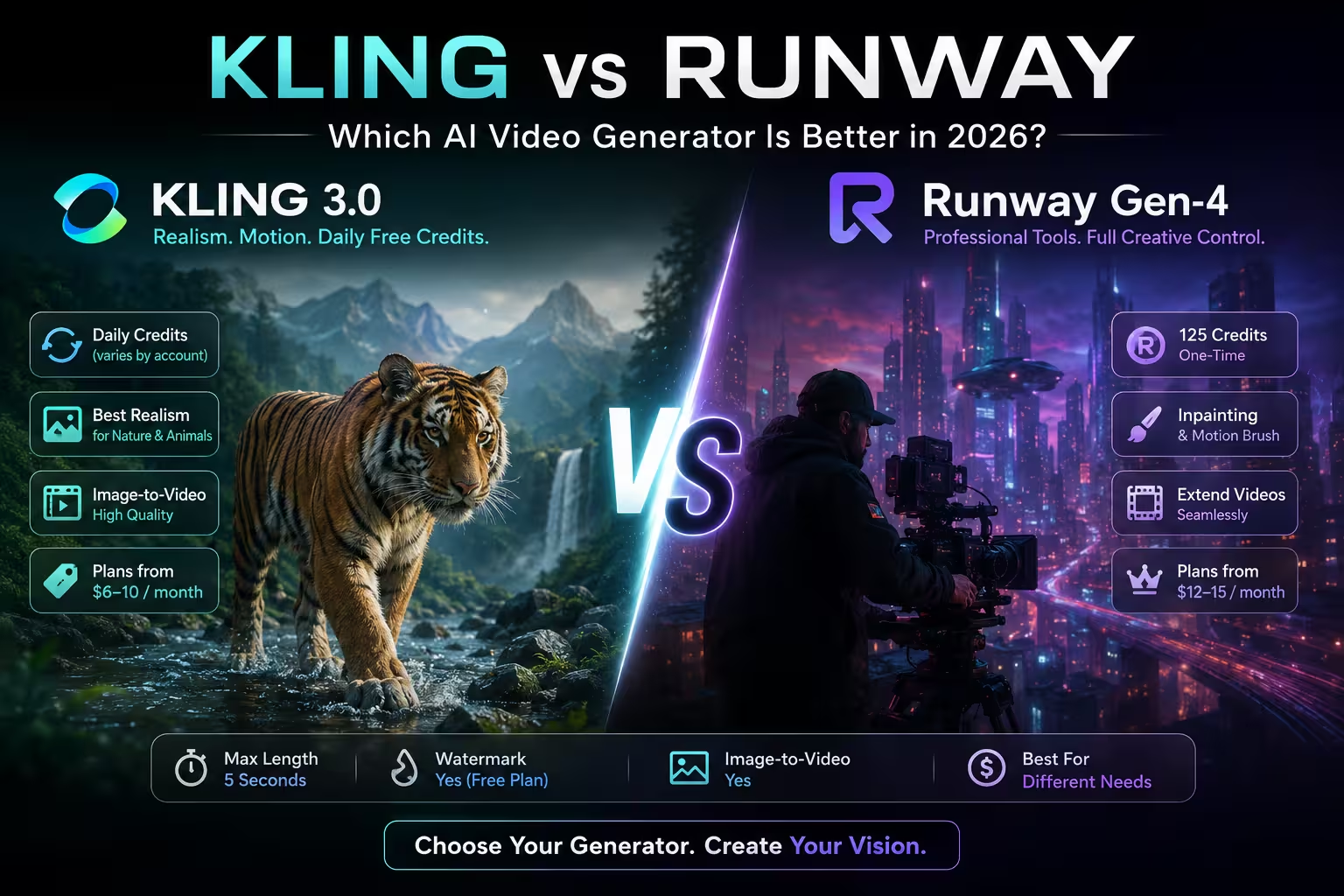
| Feature | Kling 3.0 | Runway Gen-4.5 |
|---|---|---|
| Free credits | Limited (varies by account) | 125 one-time |
| Credits refresh | Varies (daily for some accounts) | No refresh |
| Free video length | Up to 5 sec | Up to 5 sec |
| Watermark (free) | Yes | Yes |
| Image-to-video | ✓ Yes | ✓ Yes |
| Motion brush | Basic | Advanced |
| Video inpainting | No | ✓ Yes |
| Video extend | Limited | ✓ Yes |
| Camera control | Good | Excellent |
| Realism | Excellent | Excellent |
| Starting price | ~$6–10/mo | ~$12–15/mo |
| Company | Kuaishou (China) | Runway (USA) |
Kling AI Review (2026)
Why Kling became so popular
Kling exploded because it solved one major AI video problem: physics. Most AI video generators still struggle with realistic movement, animal motion, water, wind, natural environments and body consistency. Kling is unusually good at all of them.
Many creators consider Kling one of the hardest AI video models to distinguish from real footage — especially for wildlife, cinematic landscapes, outdoor scenes, emotional closeups and slow-motion realism. Its training data advantage likely comes from Kuaishou's massive short-video ecosystem.
Is Kling Really Free?
Earlier versions of Kling offered 66 free credits per day. However, many users in 2025–2026 report that new accounts no longer consistently receive daily refreshes, while older accounts may still retain them. The exact refresh behavior varies by account age, region and current pricing policy.
Pros
- ✓ Excellent realism
- ✓ Best AI animal motion
- ✓ Strong cinematic aesthetics
- ✓ Affordable paid plans
- ✓ Good image-to-video results
- ✓ Strong prompt understanding
Cons
- ✗ Free plan limits change frequently
- ✗ Watermarks on free exports
- ✗ UI less polished than Runway
- ✗ Fewer professional editing tools
- ✗ China-based platform (data privacy)
Runway Gen-4.5 Review (2026)
Runway approaches AI video differently. Instead of being "just" a generator, Runway is evolving into a complete AI production suite — heavily used by filmmakers, agencies, ad creators, music video editors and commercial production teams. Runway's biggest advantage is workflow.
What Makes Runway Better for Professionals?
Video Inpainting
Selectively modify parts of a generated video — replace a background, change clothing, remove objects, modify lighting — without regenerating the entire clip. Huge for commercial production.
Motion Brush
Define exactly where motion happens inside an image. Gives significantly more control than standard image-to-video generation.
Video Extend
Continue existing clips naturally. Essential for storytelling, ads, YouTube content, music videos and cinematic sequences.
Camera Control
Smoother pans, dolly shots, cinematic zooms, controlled camera motion. Kling often looks more realistic — Runway often looks more directed. That's an important distinction.
Pros
- ✓ Best professional AI video workflow
- ✓ Advanced editing features
- ✓ Excellent camera movement
- ✓ Used in real production pipelines
- ✓ Strong ecosystem & collaboration
Cons
- ✗ More expensive
- ✗ Free credits never refresh
- ✗ Slower rendering
- ✗ Higher learning curve
- ✗ Can struggle with realism in some scenes
Video Quality Comparison
Winner: Kling
More believable physics, natural motion, stronger environmental realism. Especially for animals, rain, forests, landscapes and realistic humans.
Winner: Runway
More intentional control over framing, movement, shot progression and editing workflows. Feels closer to a professional filmmaking tool.
Slight winner: Kling
Kling better preserves facial consistency, lighting and image composition. Runway offers stronger editing flexibility afterward.
Best AI Video Generator for Different Use Cases
| Use case | Winner | Why |
|---|---|---|
| YouTube Shorts | Kling | Better realism + cheaper pricing |
| Filmmaking | Runway | Workflow tools matter more than raw quality |
| Cinematic AI videos | Tie | Kling = realism, Runway = control |
| Free generation | Kling | Renewable credits for some accounts |
| Commercial production | Runway | Inpainting, extend, collaboration tools |
Pricing Comparison (2026)
Kling
- Free tier available (varies)
- Paid plans ~$6–10/mo
- Billing cycle affects price
Runway
- 125 free credits (one-time)
- Paid plans ~$12–15/mo
- Runway is clearly more expensive
Is Kling Better Than Runway?
For pure generation quality: Kling often wins. Better realism, more natural physics, stronger animal and nature content.
For professional workflows: Runway wins. Inpainting, motion brush, video extend — features that matter in real production pipelines.
Alternatives to Kling and Runway
Users comparing Kling vs Runway also consider:
FAQ
Is Kling AI better than Runway?
Kling is often better for realism and natural motion — especially animals, nature and cinematic footage. Runway is better for professional editing workflows and production features like inpainting, motion brush and video extend.
Does Kling still give free daily credits?
Not consistently for all users. Older accounts may still receive daily refreshes, while newer users often report different free-tier behavior. The exact behavior varies by account age, region and current policy.
Is Runway worth paying for?
Yes — especially for filmmakers, agencies and creators who need advanced editing tools like inpainting and video extension. For casual creators, Kling offers better value at ~$6–10/mo.
Which AI video generator looks most realistic?
Kling is widely considered one of the most realistic AI video generators, especially for nature, animals and cinematic footage. It excels at physics simulation and natural motion that other models struggle with.
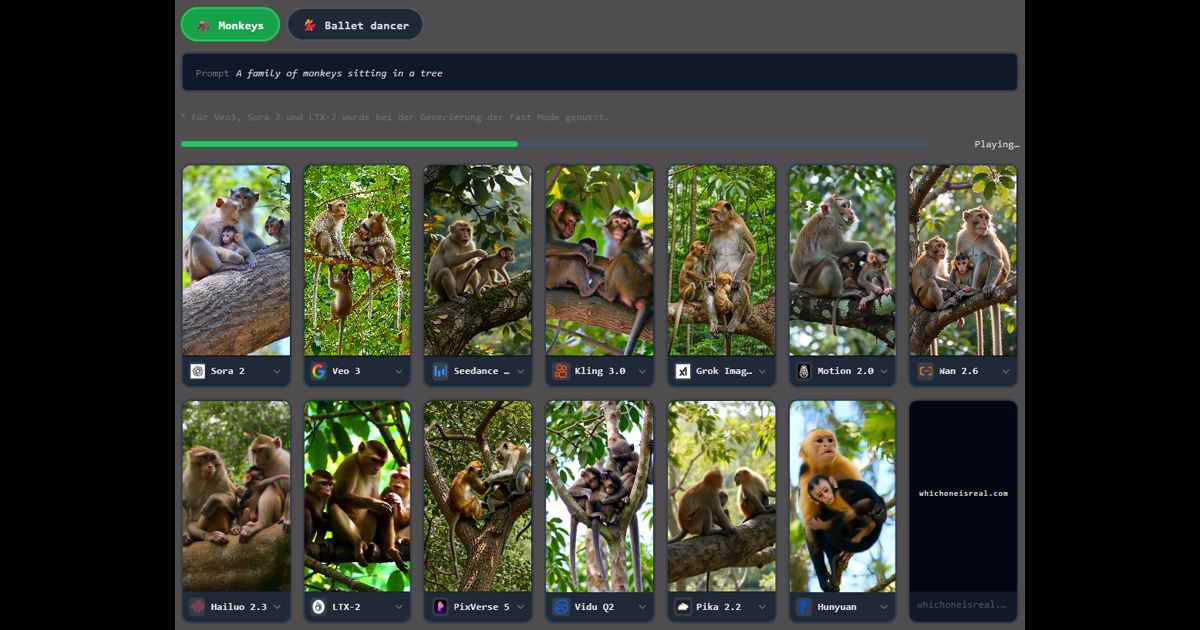
Kling’s edge is motion — can you see it?
Human movement, physics and sport are where these two models differ most, and where a clip is hardest to call.



Related