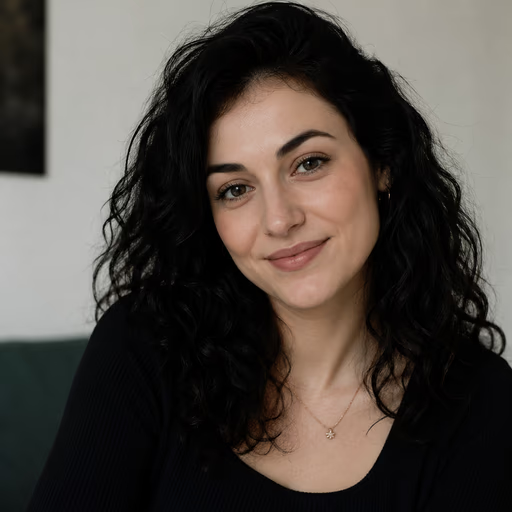
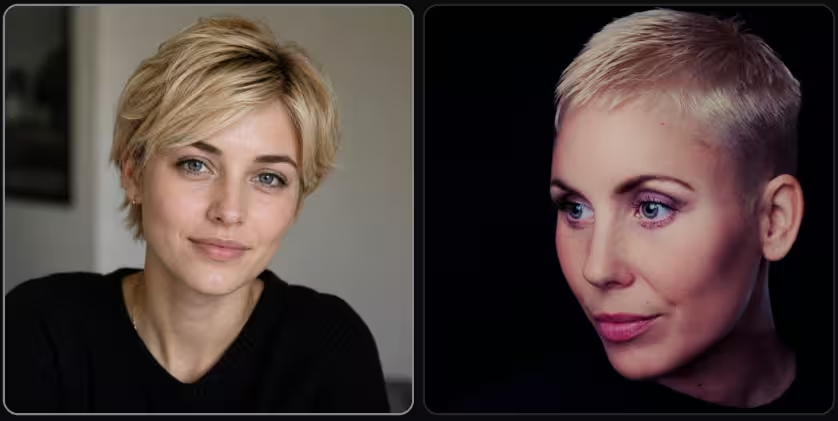
Which Face Is Real?
AI models generate portrait photographs of people who have never existed — and most people can't tell the difference. Which face is real? Who is real? This guide shows you exactly how to spot a fake AI face, with the 8 most reliable visual tells.
Research from the University of Washington found that untrained people correctly identified AI-generated faces only 48% of the time — barely better than random. Training changes that. Here's what to look for.
Test Yourself: Which Face Is Real?
4 images per round — 3 AI-generated portraits, 1 real photograph. Click the real face. Free, no signup needed.
Why AI Faces Are So Hard to Spot
The human brain is wired to recognise faces. We've evolved dedicated neural circuits for detecting faces in noise, reading micro-expressions, and identifying individuals in crowds. This makes us unusually good at processing facial images — but it also makes us vulnerable: we're so primed to see a face as a face that we accept one as real before examining the details.
AI face generators exploit this. A model like StyleGAN, Flux Pro, or GPT Image 1.5 doesn't understand what a face is — it has learned the statistical distribution of pixels that appear in portrait photographs. The result looks like a face because it matches the statistical expectation of a face, not because it represents a real person.
The tells are real, consistent, and learnable — but they're subtle, and you have to know where to look. Modern models have largely fixed the obvious problems (6-fingered hands, melting faces). What remains are structural inconsistencies that only appear when you examine specific parts of the image in the right order.
8 Tells That Reveal a Fake AI Face
These artifacts appear consistently across StyleGAN, diffusion models (Flux, DALL-E 3), and portrait-focused fine-tunes. Some are more visible in older models, but all remain detectable in 2026 outputs — including from the best current models.
Skin splotches — shiny water-like patches with no shadow
Look for irregular, glossy patches on the skin — cheeks, forehead, or neck — that look like light reflecting off a wet surface but cast no shadow and have no pore detail. These are a distinctive GAN artifact: the model generates local brightness variations as a proxy for skin variation, but without the underlying three-dimensional structure that would create a real specular highlight. In real skin, every bright patch has a corresponding shadow nearby. In AI skin, the patches float.
Scan the cheeks and forehead for patches that look too shiny — no pores, no shadow, no reason for the brightness.
Background artifacts — smearing, blurring, and impossible objects
AI portrait models are trained to generate a face in sharp focus with a background that provides context. The result is that the background is generated as a supporting texture for the portrait, not as a coherent scene. Signs: backgrounds that appear to melt or smear near the edges of the frame; objects that are cut off or distorted at the edge; color bleeding from one region to another; architectural elements that don't follow perspective. The closer to the frame edge, the worse it typically gets.
Look at the corners and edges. Real photos may be blurry due to depth-of-field, but the blur is optically consistent — AI backgrounds often have smearing that has no photographic explanation.
Eyeglasses — asymmetric, warped, or physically impossible
Eyeglasses are one of the most reliable AI tells in portrait images. A real pair of glasses has two lenses of identical shape and curvature, connected by a bridge piece of consistent width, with two arms of matching length extending behind the ears. AI models almost never get this right: one lens may be larger than the other; the frames may warp; the arms may pass through the hair or ear rather than over them; or the reflection in the lenses may show something that doesn't correspond to what's in the scene. If you see glasses, examine them closely.
Ask: are both lenses the same size and shape? Does the bridge sit symmetrically on the nose? Do the arms disappear behind the ears in the right place?
Facial asymmetry — ears, earrings, and bone structure
Real faces are slightly asymmetric — but in consistent, anatomically explainable ways. AI faces are often asymmetric in ways that don't correspond to real anatomy: one ear may be significantly higher than the other; earrings may be completely different styles on each ear (a stud on one side, a hoop on the other); the jaw may not be symmetric under the chin. In group shots or couples, look for everyone sharing the same basic bone structure — AI models tend to clone facial geometry when generating multiple faces.
Check the ears: same height, same shape, same earrings? If the person is wearing jewelry, do both sides match?
Hair at the edges — the most consistent GAN artifact
The boundary between hair and background is consistently the hardest area for AI portrait generators. Real hair has individual strands with physical opacity — you can see through thin areas of hair to the background behind. AI hair is generated as a texture: the boundary is either too sharp (like the hair was cut out with scissors), too blurry (the hair melts into the background), or shows impossible strand physics (strands that point in random directions, overlap in physically impossible ways, or have the same texture as the background behind them). Check the very edges of the hair, especially around the ears and the top of the head.
Look at where the hair meets the background. Does it look like it was cut out? Are strands blurring into the background color? Both are strong tells.
Fluorescent color bleeding — especially near the neck and collar
A characteristic artifact of StyleGAN and some early diffusion models: areas of saturated color that "bleed" into adjacent regions without physical justification. You may see a bright, slightly fluorescent color spill across the neck, appear in the iris, or bleed from clothing onto skin. This happens because the model generates color distributions locally without understanding where material boundaries are. It's distinct from the natural color temperature variation of real photography, which is always explainable by light source direction.
Look at the transition from clothing to neck, and at the sclera (white of the eye). Unnatural saturation spikes or color bleeding that doesn't correspond to any light source are AI artifacts.
Teeth — too uniform, fused, or incorrectly lit
Real teeth have slight variation in size, slight spacing irregularities, and natural color variation between the central incisors and lateral teeth. AI generates teeth as a texture — the row is often too regular, individual teeth may blur into each other, or the lighting on the teeth may not match the lighting on the rest of the face. In portrait images with an open smile, examine the teeth closely: do they look like individual objects, or like a single white surface with tooth-shaped markings?
Zoom into any visible teeth. Do they look like individual three-dimensional objects, or like a uniform white surface? Is the lighting on the teeth consistent with the light on the face?
Signs a face is probably real — what to look for
Real faces have tells too. Symmetrical, physically consistent accessories (both earrings matching, glasses sitting straight). Real-looking companions in the background — other faces that have individual, non-cloned features. Backgrounds with readable text: a real café has menu items you can actually read; a real street has readable signs. A subject that has subtle but consistent aging markers — real skin doesn't have the globally uniform texture of AI skin. And if there's a crowd or group, genuinely varied body proportions, facial structures, and clothing details.
If you see text anywhere in the background — a sign, a label, a screen — try to read it. Readable text is one of the strongest signals that you're looking at a real photograph.
Quick Checklist for Spotting AI Faces
Run through this in order — earlier items are faster to check and catch a large proportion of AI faces. Only go further down if the earlier checks don't give you a clear answer.
StyleGAN vs Diffusion Models: What Changed
The face generation landscape has evolved significantly. Understanding the difference helps you know what to look for.
StyleGAN (2019–2022)
The model behind "This Person Does Not Exist". Generates pure portrait headshots with characteristic artifacts: the water/oil splotches, the asymmetric accessories, the background smearing, the fluorescent color bleeding. StyleGAN faces are now easier to detect because trained detectors and the public have seen millions of them.
Flux Pro / Midjourney v6 / DALL-E 3 (2023–2024)
Modern diffusion models generate faces in full scenes rather than cropped headshots. They've largely eliminated the classic GAN artifacts. The tells are subtler: hair physics at scene edges, background incoherence under close inspection, group scene anatomy, and clothing that defies fabric physics. Portrait-specific fine-tunes (like Juggernaut Flux) produce images that are significantly harder to detect.
GPT Image 1.5 (2025–2026)
The current state of the art. GPT Image 1.5 can generate a single photorealistic portrait that is nearly undetectable to an untrained eye, and can render simple text correctly — removing the text tell for simple short captions. Tells that remain: complex group anatomy, physically accurate reflections, and fine structural detail under close magnification (individual pores, lash detail, iris texture).
Our complete visual guide covers all 6 types of AI artifacts — not just faces, but hands, text, reflections, backgrounds, and textures — with annotated real examples showing exactly where each AI image goes wrong.
Read: How to Detect AI-Generated Images →Frequently Asked Questions
Which face is real — how do I tell? ▾
The fastest checks: look at the background near the hair — AI often creates a blurry or smeared transition between hair and background. Check eyeglasses if present — AI glasses are almost always asymmetric. Look for water-like splotches on skin that have no shadow. And try to read any text in the background — AI text is always garbled.
Can AI generate realistic faces that fool people? ▾
Yes. Research from the University of Washington showed that people correctly identified AI-generated StyleGAN faces only 48% of the time — barely better than random guessing. Modern models like Flux Pro, GPT Image 1.5, and Midjourney v6 produce faces that are even more realistic. With training, accuracy improves significantly.
What is "This Person Does Not Exist"? ▾
"This Person Does Not Exist" (thispersondoesnotexist.com) is a website that generates a new AI face on every page load using StyleGAN — a type of generative adversarial network (GAN) developed by NVIDIA. The faces look completely real but are entirely synthetic — no such person exists.
What are the most reliable tells for AI-generated faces? ▾
The most reliable tells in 2026: (1) Asymmetric eyeglasses — AI almost never gets both lenses and arms perfectly symmetrical. (2) Hair at the edges — AI creates blurry, smeared, or physically impossible hair where it meets the background. (3) Skin splotches — shiny, oil-like patches with no shadow or pore detail. (4) Earrings/jewelry — AI earrings are frequently unmatched between ears or physically impossible. (5) Teeth — AI teeth rows are often too uniform or merge into each other unnaturally.
Is there an AI face detector tool? ▾
Yes — tools like Winston AI, Hive Moderation, and Illuminarty attempt to detect AI-generated faces automatically. Their accuracy against modern models (Flux Pro, GPT Image 1.5) is around 60–70%, which is better than random but not reliable enough to use as a definitive test. Visual inspection using the tells described in this guide remains more reliable for high-quality fakes.
What is StyleGAN and why does it matter for face detection? ▾
StyleGAN is a family of generative adversarial networks (GANs) developed by NVIDIA that generates extremely realistic synthetic faces. StyleGAN1, 2, and 3 were trained specifically on face images and can produce portraits that are nearly indistinguishable from photographs. The website "This Person Does Not Exist" uses StyleGAN. Modern models (Flux, DALL-E 3, Midjourney) use diffusion architectures that are even harder to detect than StyleGAN.
How do deepfakes differ from AI-generated faces? ▾
A "deepfake" is a specific type of AI-generated face where a real person's likeness is swapped onto another body or video — it superimposes a known face. An "AI-generated face" (like those from StyleGAN or Flux) is entirely synthetic — the person never existed. Both are convincing and increasingly hard to detect, but they have different artifacts: deepfakes often show blending artifacts at the face boundary, while fully-synthetic faces show consistency artifacts across the whole image.
How can I get better at spotting fake faces? ▾
Deliberate practice with immediate feedback is the fastest way. The more face examples you examine with explanations of what's wrong, the faster your eye learns to spot the patterns automatically. Start with the 8 key tells described in this guide, then practice with our face quiz until you can identify the correct image reliably.
More AI Detection Quizzes
Each category trains different detection skills.