1v1 AI Quiz — Play With Friends
Think you can spot AI-generated images better than your friends? Play live against another player — same images, real-time scoring, 10 rounds. No signup needed on either side.
Quick Match vs. Private Room
⚔️ Quick Match
- ✓ Paired with a random online player
- ✓ Match starts within seconds
- ✓ No link sharing needed
- ✓ Good for testing yourself against strangers
🔗 Private Room
- ✓ Play only with the person you invite
- ✓ Share the room URL via WhatsApp, iMessage, etc.
- ✓ Match starts when both players open the link
- ✓ Perfect for playing with friends or family
How the 1v1 Mode Works
Both players see the same image
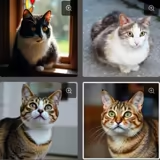
Each round shows 4 images simultaneously — 1 real photo and 3 AI-generated fakes. Both players see them at exactly the same time.
Speed determines your score
Click the correct image as fast as possible — the faster you answer correctly, the more points you earn. Wrong answers score zero.
10 rounds — highest score wins
After 10 rounds the totals are compared. The player with the most points wins the match. Play again for a rematch.
Tips to Beat Your Opponent
Don't overthink
First impressions are often correct. Spending too long costs you points even if you get the right answer — your instinct is faster than your analysis.
Check hands and fingers first
AI models consistently struggle with human anatomy — extra fingers, fused joints and unnatural hand positions are the most reliable tell in people images.
Look at the background
AI often produces blurry, repetitive or physically impossible backgrounds — especially grass, foliage and crowd scenes. Real photos have natural irregularity.
Text is almost always a giveaway
If an image contains signs, labels or written text, check it first. AI-generated text is almost always garbled, misspelled or nonsensical.
Practice in solo mode first
The categories Animals, People and Food are the most common in the 1v1 mode. Practise those categories in single-player to build the pattern recognition that gives you an edge.
Frequently Asked Questions
How do I play with a specific friend? ▾
Go to whichoneisreal.com/friend/ and share that URL with your friend. When both of you have the page open, the match starts automatically. No account required.
What's the difference between Quick Match and Private Room? ▾
Quick Match pairs you with a random online player — no link sharing, match starts within seconds. Private Room creates a URL you share with a specific person; the match starts when both players open the same link.
Is the multiplayer quiz free? ▾
Yes — completely free, no signup needed for either player. Both Quick Match and Private Room are available without an account.
How does scoring work? ▾
Both players see the image at the same time. The faster you click the correct answer, the more points you earn. Wrong answers score zero. The player with the most points after 10 rounds wins.