Real or AI Elements Video?
AI video models can now generate strikingly realistic fire, water, and wind footage. Two clips per round — only one is real. Can you spot the difference?
How the Elements Video Quiz Works
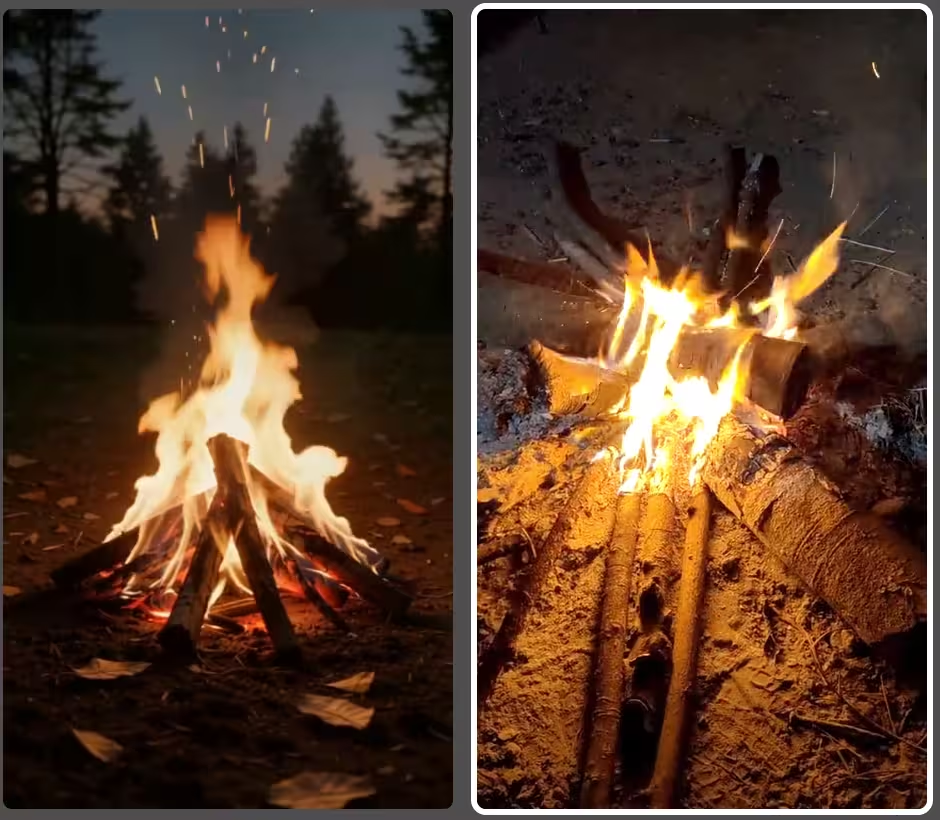
Each round shows you two short video clips side by side — one is real footage of a natural element (fire, water, wind, etc.), the other was generated by an AI model. Your job: tap the man-made (real) video.
After you answer, both videos keep looping so you can study what gave the AI away — or what made it so convincing.
Which AI Video Models Are Used?
The quiz features state-of-the-art AI video generators applied to natural phenomena:
- Veo 3 — Google DeepMind's flagship video model. Produces extremely realistic footage with accurate lighting and physics simulation. Particularly convincing for waterfalls and flowing water scenes.
- Seedance 1.5 Pro — ByteDance's cinematic video model. Optimized for smooth motion and near-photorealistic output, used here for ocean waves and campfire scenes.
- Wan 2.6 — Alibaba's open-weight video model. Strong scene coherence and natural color grading. Used for close-up nature shots like flowers in wind.
- Grok Imagine — xAI's video generator. Produces coherent motion but can trail top-tier models in texture realism, especially on mechanical or airborne subjects.
Tips for Spotting AI-Generated Elements Video
- Watch fluid motion closely — real water and fire have chaotic, unpredictable movement; AI tends to smooth it out too much
- Check fine particle detail — sparks, droplets, and smoke particles often look too uniform or perfectly rendered in AI footage
- Notice lighting on surroundings — real fire and water cast dynamic, irregular light; AI lighting can feel static or overly consistent
- Look at background elements — AI backgrounds sometimes drift or lose detail at the edges during motion
- Check for loop seams — AI clips sometimes have a visible artifact at the loop point where motion resets unnaturally